![White Logo with transparent background.png]](https://www.transpoco.com/hs-fs/hubfs/White%20Logo%20with%20transparent%20background.png?height=40&name=White%20Logo%20with%20transparent%20background.png)
API documentation
These documents provide information on the available endpoints and how to call them.
- Click on Settings in the menu header.
- Click on API Documentation under ‘API Resources’ in the drop-down menu.
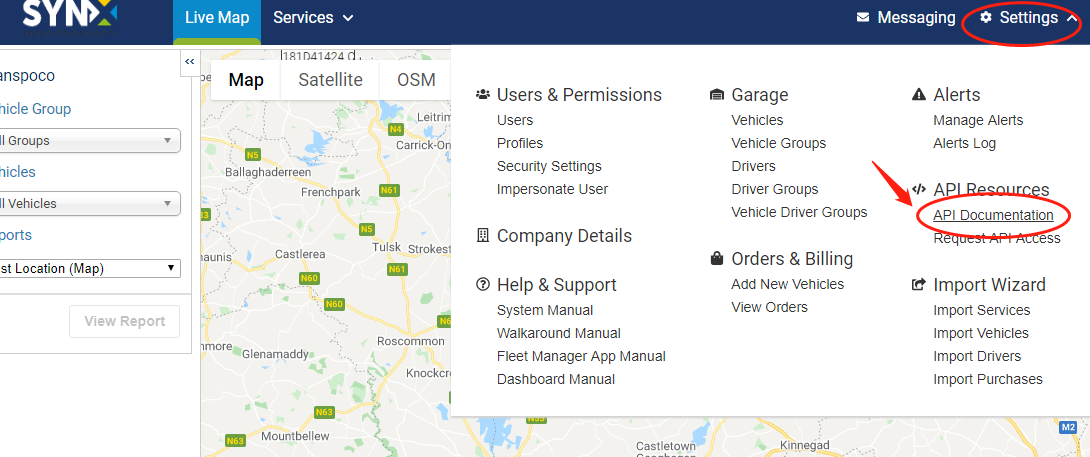
The list of API documentation opens.
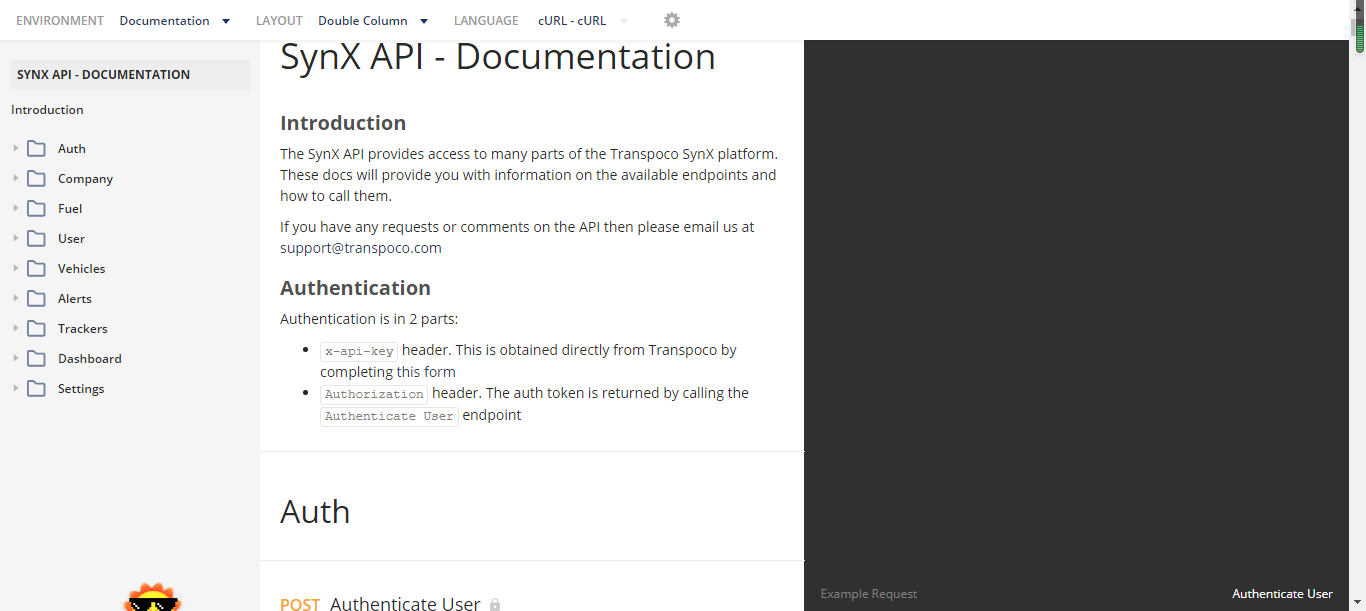
The documentation is grouped under different modules.
- Click on the folders to view the APIs.
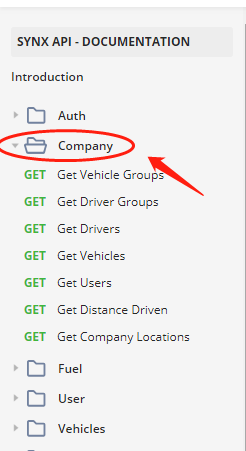
- Click on the API that you wish to view.
Note: If you have Postman for Chrome or Postman for Windows, you can access the API in either of those by clicking on Run in Postman.
- To return to Transpoco, click on the back arrow in your browser.
Request API access
- Click on Settings in the menu header.
- Click on Request API Access under ‘API Resources’ in the drop-down menu.
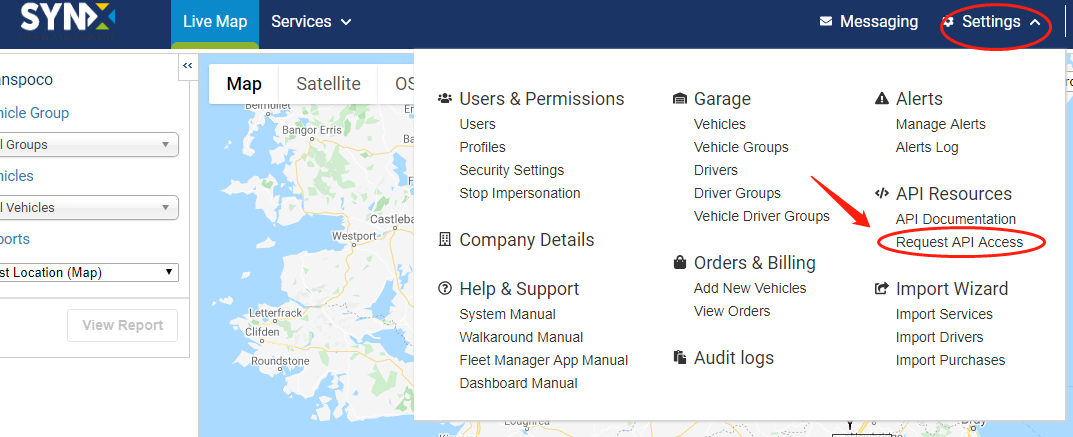
A Google Form will open.
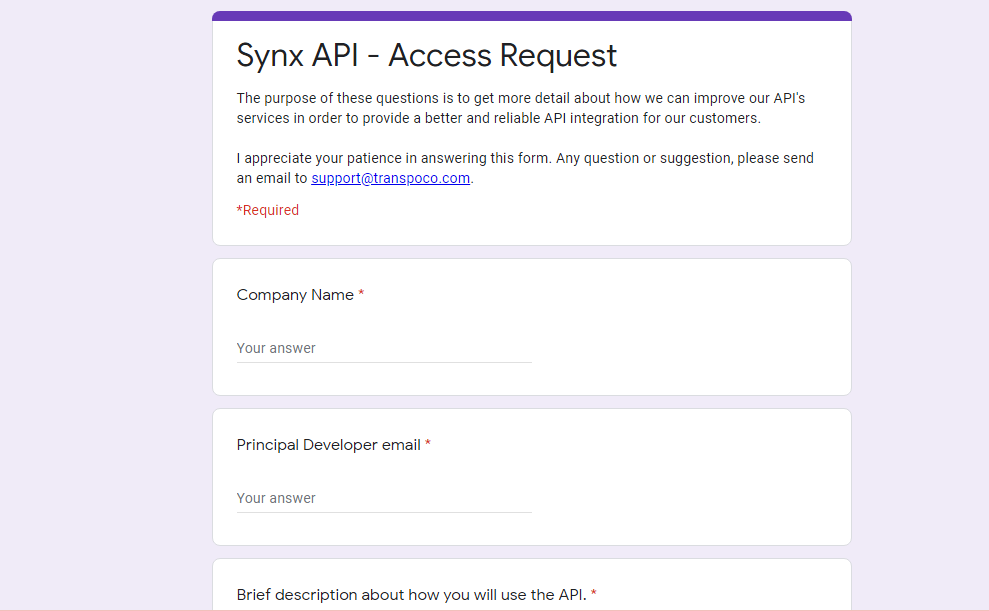
- Complete all the sections of the form.
- Click on Submit.