![White Logo with transparent background.png]](https://www.transpoco.com/hs-fs/hubfs/White%20Logo%20with%20transparent%20background.png?height=40&name=White%20Logo%20with%20transparent%20background.png)
-
Log on to your transpoco account.
-
Click on Services > Dashboard.
-
Click on “Add New”
.
- First of all, add a title by typing the title in the text box.
v
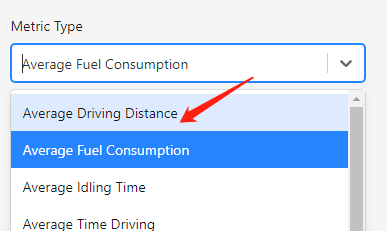
- Then, choose “Average Fuel Consumption” as the Metric type.
- Then, you can choose or not a vehicle group.
- You could also select for what period you want to get the average fuel consumption.
- You could also choose either you want to show the “comparison period” or not by ticking the little box.
.
- Then you can choose to be considered in the calculation only “Weekdays”, or “Weekends” or both options.




Note: For the number of rows, you can ignore it, because the average fuel consumption is only a number on the dashboard.
10. Once you are ready, click on the Save button. 
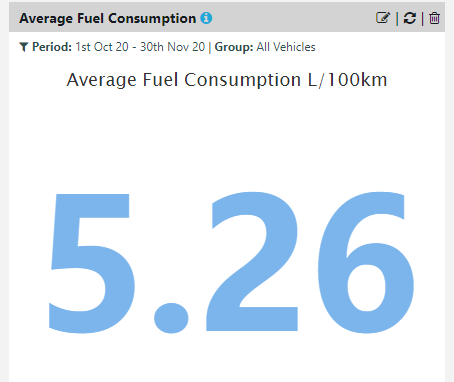
11. Scroll down to the bottom of the dashboard page, then you will be able to see the “Average Fuel Consumption” value.
Note: In the screenshot below, it is showing the average from October to November as displayed in the period field.
 .
.