![White Logo with transparent background.png]](https://www.transpoco.com/hs-fs/hubfs/White%20Logo%20with%20transparent%20background.png?height=40&name=White%20Logo%20with%20transparent%20background.png)
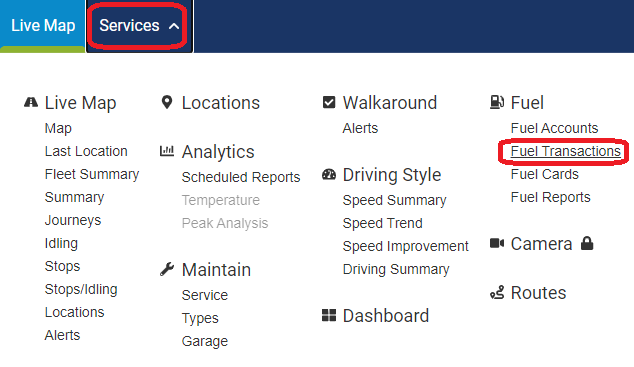
1. Click on Services
2. Click on Fuel Transactions under Fuel menu option
3. You can select the period, vehicle group and/or vehicle to filter the fuel transactions report

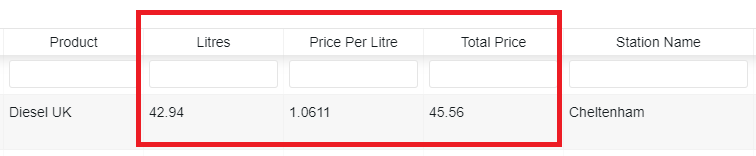
4. You will see every detail from your purchases done during the period selected. E.g.: number of litres, price per litre and total price.
Note: Here is the list of attributes you can extract and filter from your transactions
* Purchase Time
* Account Number
* Provider
* Card Number
* Same Day Purchase (yes/no)
* Card Description
* Vehicle Declared
* Vehicle Assigned
* Mileage Declared
* Odometer (Km or Mi - according to your user's preference)
* Product (Diesel, Petrol, Car wash (Leaseplan only), Adblue (Leaseplan only))
* Litres
* Price per Litre
* Total Price
* Station Name
* Station Address
* Registration Status
* GPS Status
* Visibility (Visible or Hidden)