![White Logo with transparent background.png]](https://www.transpoco.com/hs-fs/hubfs/White%20Logo%20with%20transparent%20background.png?height=40&name=White%20Logo%20with%20transparent%20background.png)
Touch the vehicle on the map.
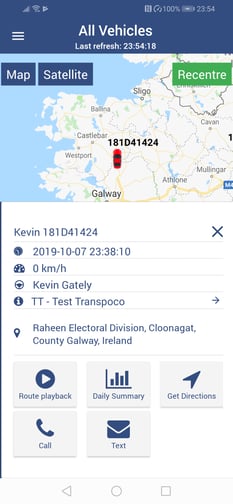
Tap on the Daily Summary icon.
To change the date (or vehicle), click on Filters.
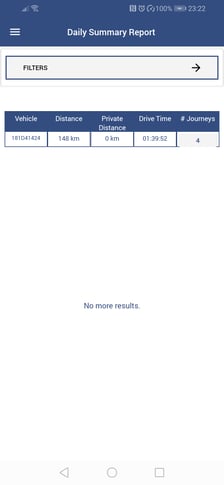
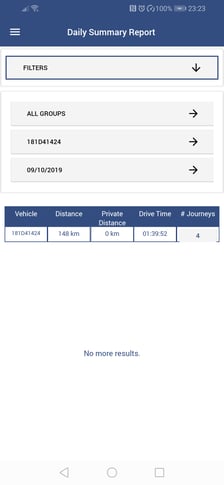
Click on the number in the #Journeys column to see the journeys in the Journey Report.
Touch the vehicle on the map.
Tap on the Daily Summary icon.
To change the date (or vehicle), click on Filters.
Click on the number in the #Journeys column to see the journeys in the Journey Report.