![White Logo with transparent background.png]](https://www.transpoco.com/hs-fs/hubfs/White%20Logo%20with%20transparent%20background.png?height=40&name=White%20Logo%20with%20transparent%20background.png)
Security settings
This is where you can customise the password policy for your company.
- Click on Settings in the menu header.
- Select Security Settings under ‘Users & Permissions’.
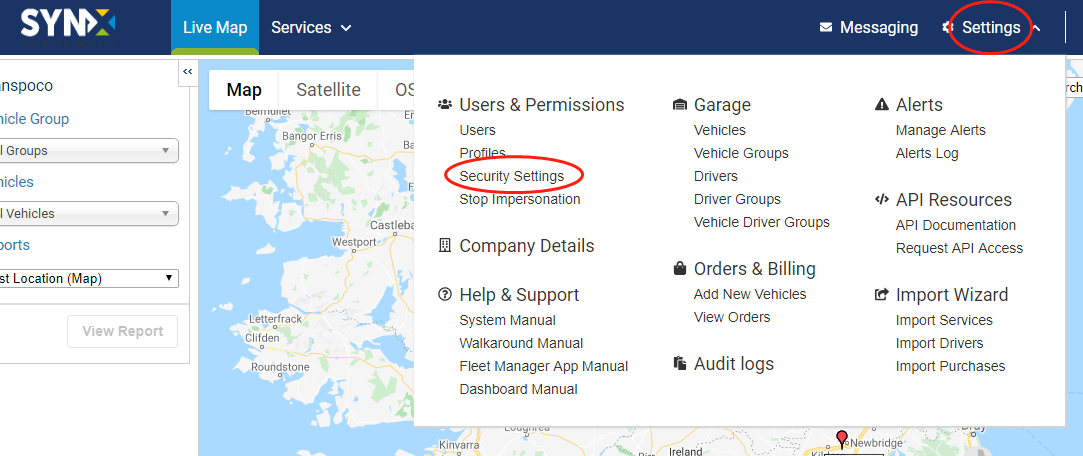
The Company Password Policy will open.
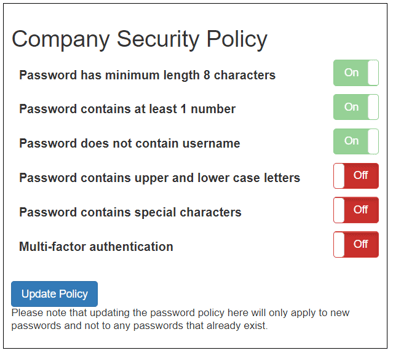
- You can manage these security setting by click On and Off button.

- Click Update Policy Button once you are ready.