![White Logo with transparent background.png]](https://www.transpoco.com/hs-fs/hubfs/White%20Logo%20with%20transparent%20background.png?height=40&name=White%20Logo%20with%20transparent%20background.png)
Click on your name in the top right of the screen and select ‘Settings’ from the drop-down menu.
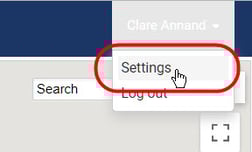
The settings menu will open.
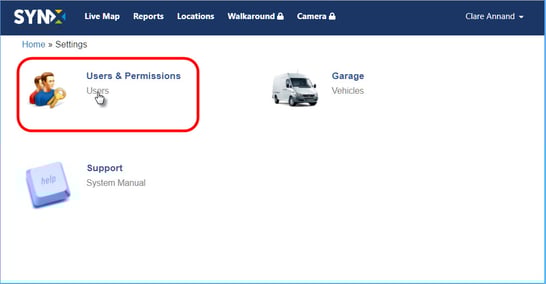
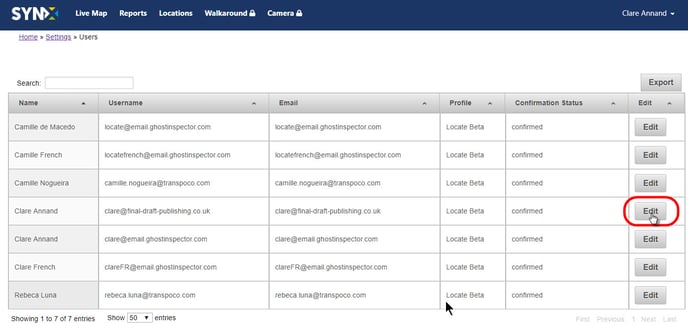
Click on Users and the list of all users in your organisation will open.
Click on the Edit button for the specified user.
The Update User panel will open.
Click on the down arrow for the Timezone value and select from the available timezones in the dropdown list.
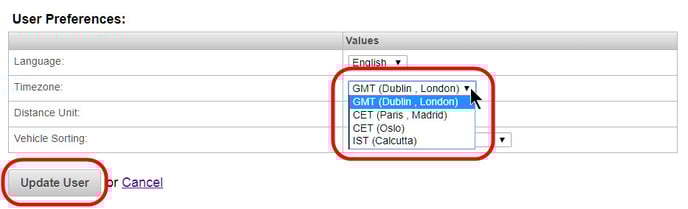
Click on the Update User button.