![White Logo with transparent background.png]](https://www.transpoco.com/hs-fs/hubfs/White%20Logo%20with%20transparent%20background.png?height=40&name=White%20Logo%20with%20transparent%20background.png)
Click on Locations in the tabbed menu.
There are two ways to bring up a location/geofence:
- Either, click on the location name in the list on the left;
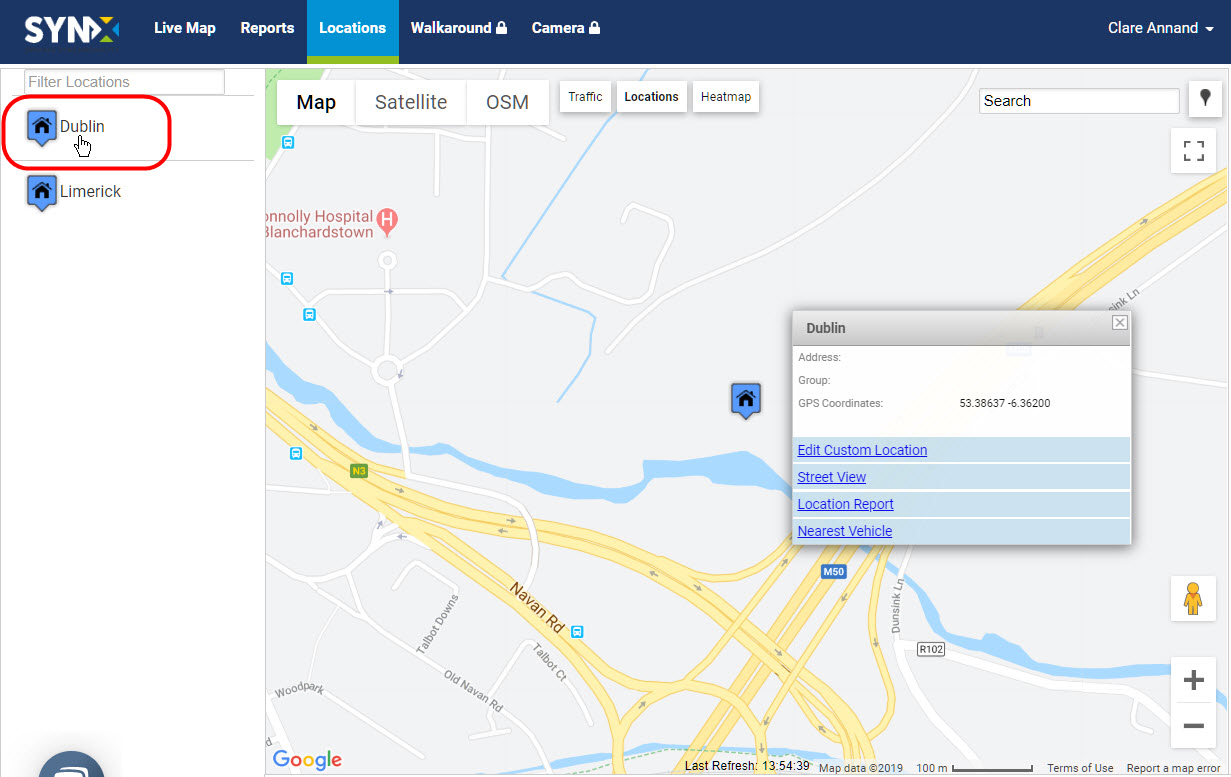
or
- Click directly on the location icon on the map. Note: This can also be done from the live map with the locations map overlay.
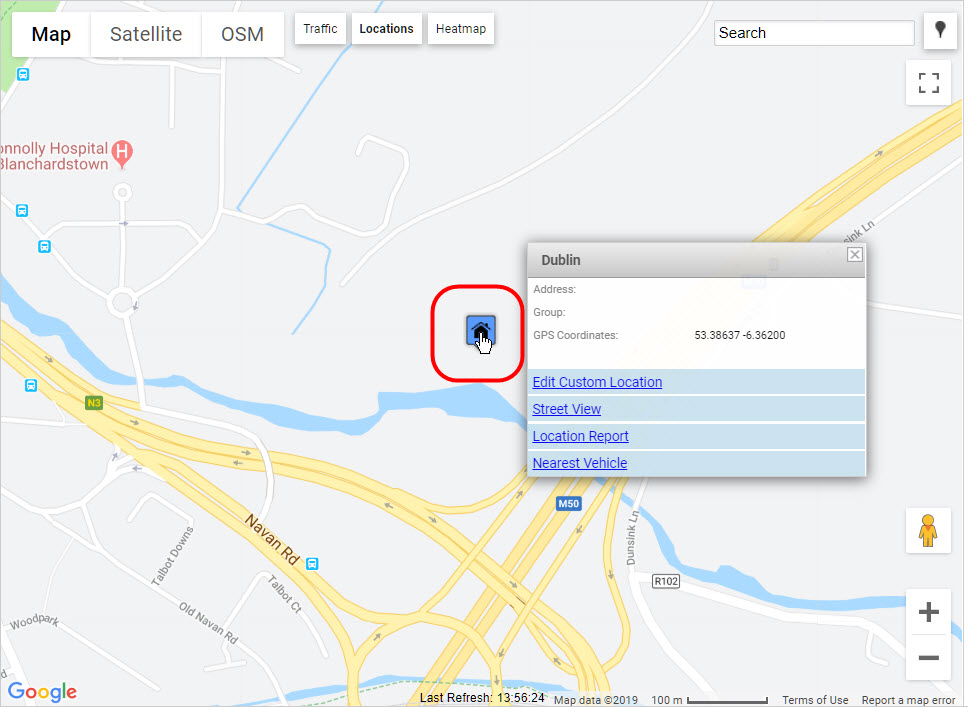
- Whichever method is used, a pop-up menu appears – click on ‘Edit Custom Location’.
The polygon appears along with the location details.
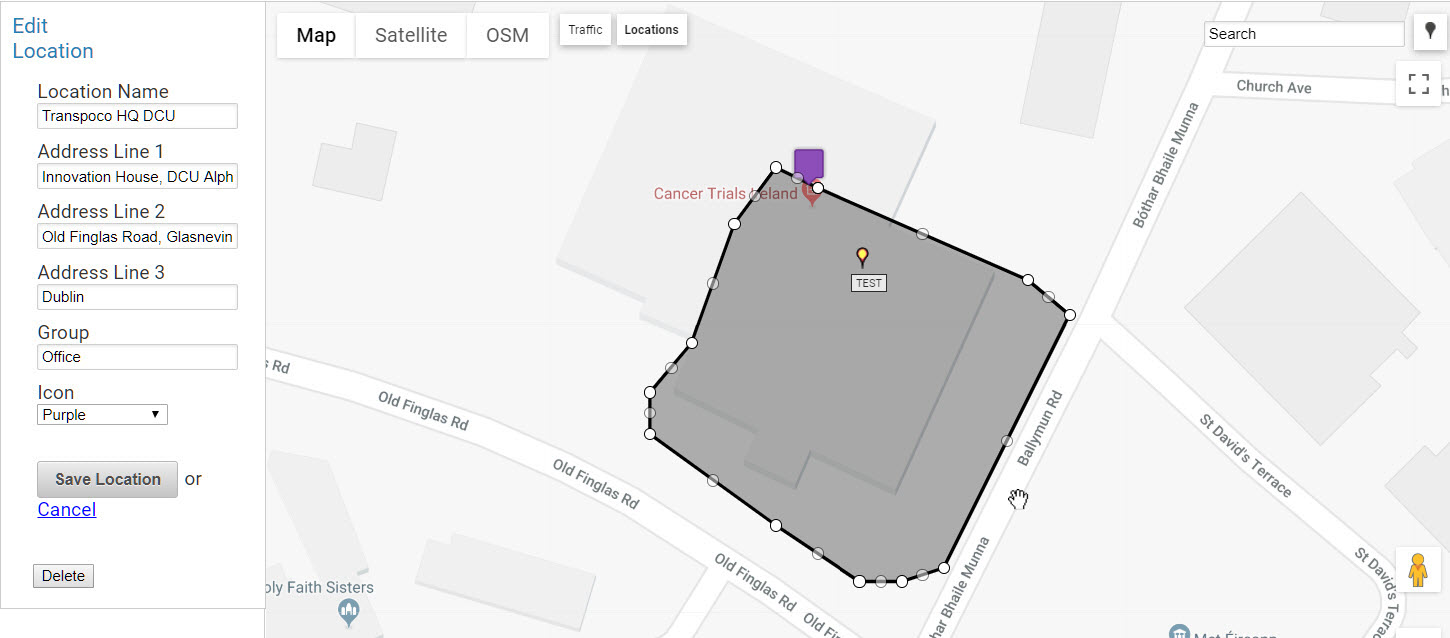
- Make the required changes to the location details on the left and/or the polygon.
- Click on the Save Location button to save the changes.