![White Logo with transparent background.png]](https://www.transpoco.com/hs-fs/hubfs/White%20Logo%20with%20transparent%20background.png?height=40&name=White%20Logo%20with%20transparent%20background.png)
This report differs from the others as it is capturing real-time information so the dates cannot be changed.
Ensure you are in Live Map view.
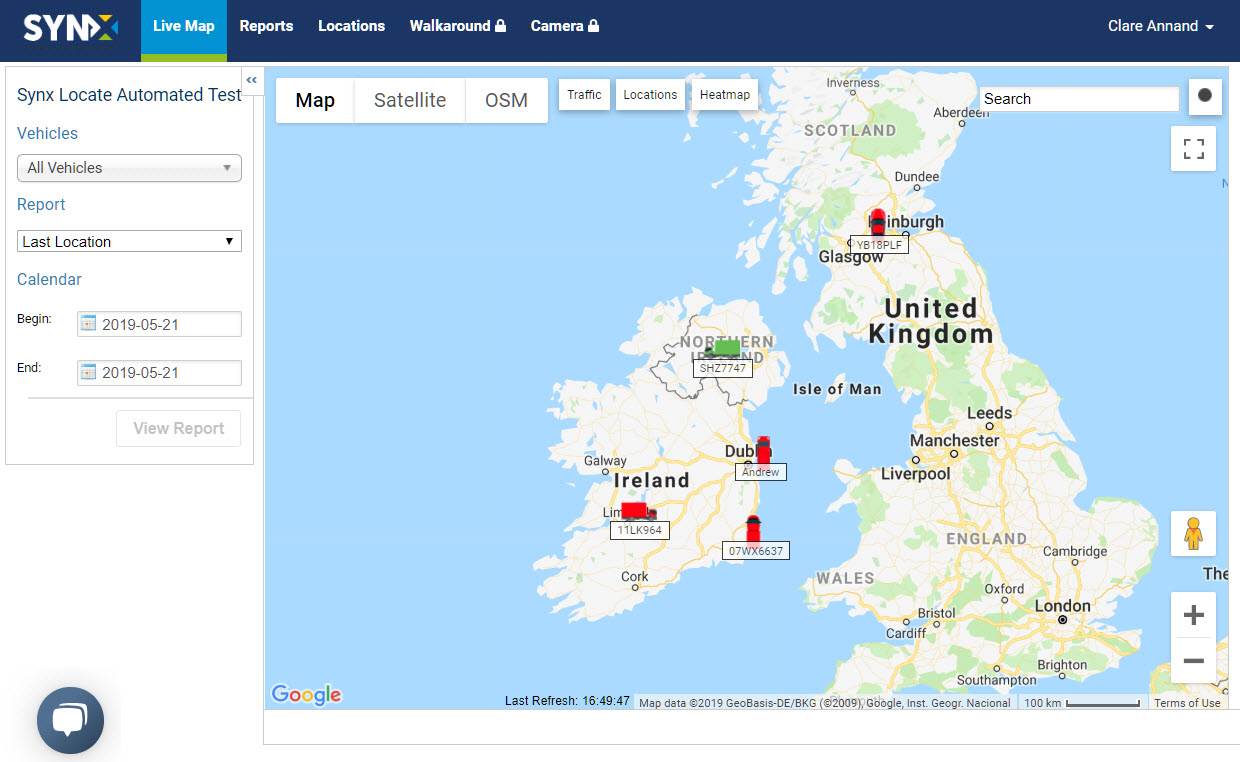
- Select the Vehicle(s).
- Select ‘Last Location’ from the Report drop-down list.
- Select Reports from the header menu and the real-time data will appear in a table.
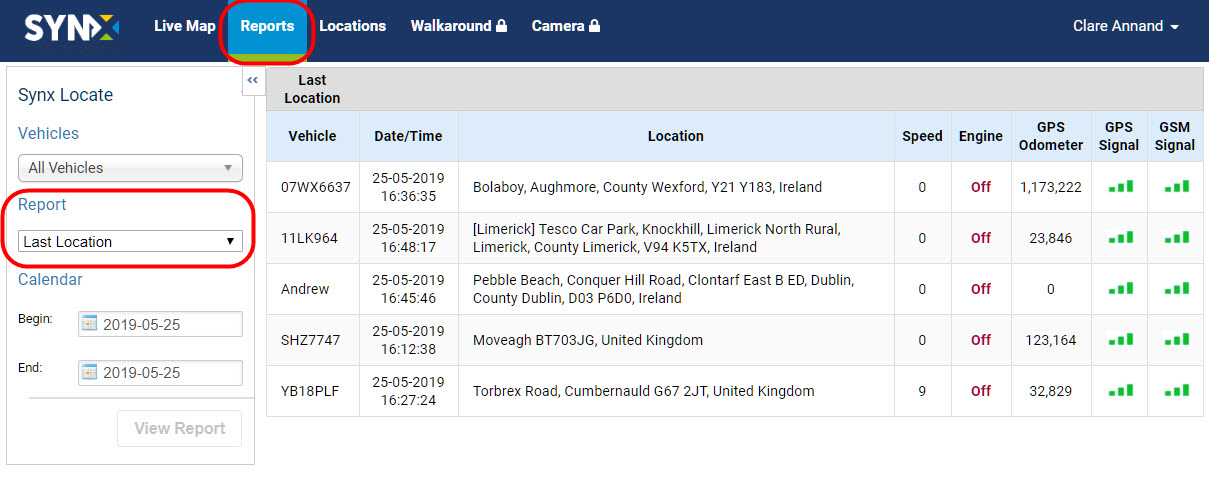
The standard information contained in this report is:
- Vehicle: Vehicle name/number
- Date/Time: Time of last update
- Location: Location at last update
- Speed: Speed at last update
- Engine: Engine current status, On/Off
- GPS Odometer: GPS-based mileage counter at last update
- GPS Signal: Indication of current GPS signal strength
- GSM Signal: Indication of current GSM signal strength