![White Logo with transparent background.png]](https://www.transpoco.com/hs-fs/hubfs/White%20Logo%20with%20transparent%20background.png?height=40&name=White%20Logo%20with%20transparent%20background.png)
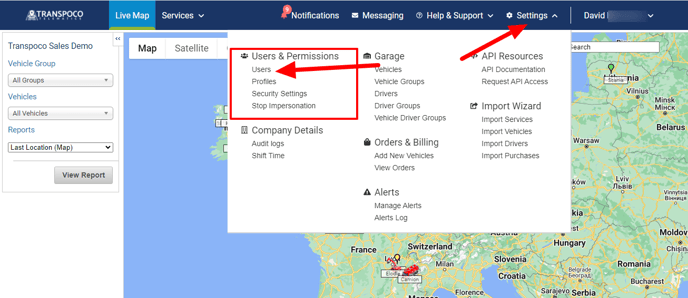
To find the list of users for your Transpoco account click Services and on the Services menu select Users
The information contained in this table covers the following for each user:
- Name: Name of user
- Username: Username when logging into the system, usual email address
- Email: Email address
- Profile: Name of profile, which determines the functionality available and permissions allocated to the user
- Confirmation Status: Has the user confirmed their user profile
- Edit: Link to update user details and user preferences
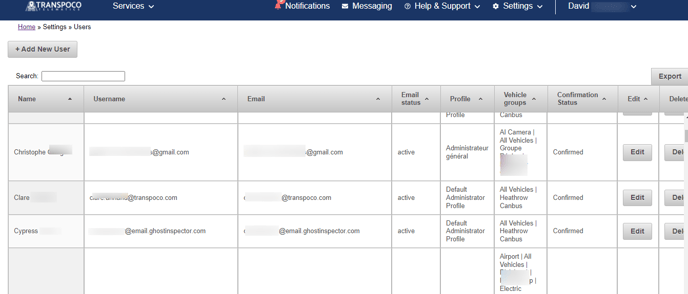
You change the access of a user by clicking the 'Edit' button. For example, you you can change the user profile or change the vehicles assign to the user.
You can delete the access for a user by clicking 'Delete' button which is located under the 'Delete' column.