![White Logo with transparent background.png]](https://www.transpoco.com/hs-fs/hubfs/White%20Logo%20with%20transparent%20background.png?height=40&name=White%20Logo%20with%20transparent%20background.png)
NOTE: The instructions are the same for both Walkaround and Driven Without Check alerts; for this article, the latter has been used.
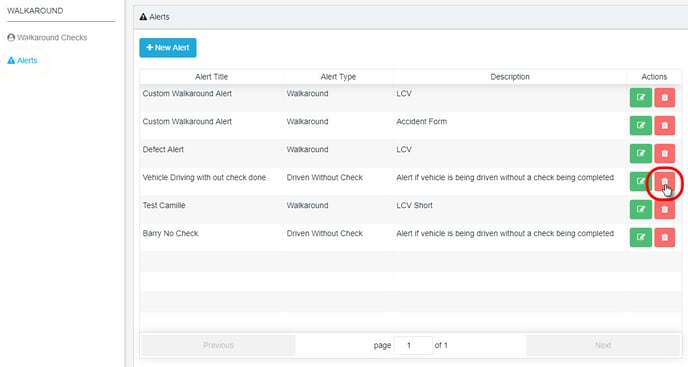
Click on the red delete icon on the relevant row in the list of alerts.
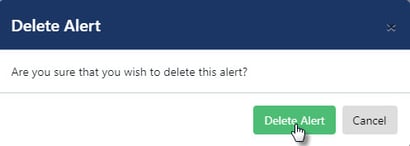
Click on Delete Alert in the confirmation pop-up.
When the alert has been successfully deleted, the system will show a green confirmation message in the bottom left corner of the screen.
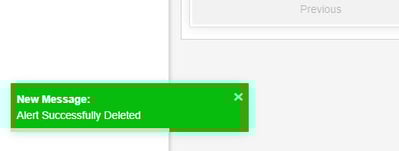
The message will fade after a few seconds, or click the x to close it immediately.