![White Logo with transparent background.png]](https://www.transpoco.com/hs-fs/hubfs/White%20Logo%20with%20transparent%20background.png?height=40&name=White%20Logo%20with%20transparent%20background.png)
If you have forgotten to record a service which occurred in the past here is the workaround.
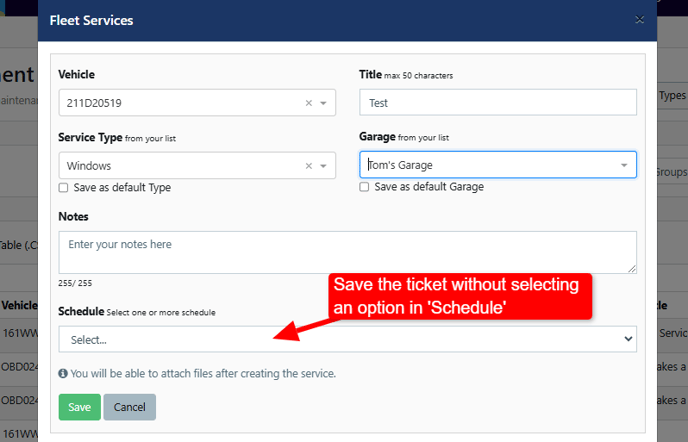
1. Enter the details of the service but do not select an option in 'Schedule''. Save the service ticket.
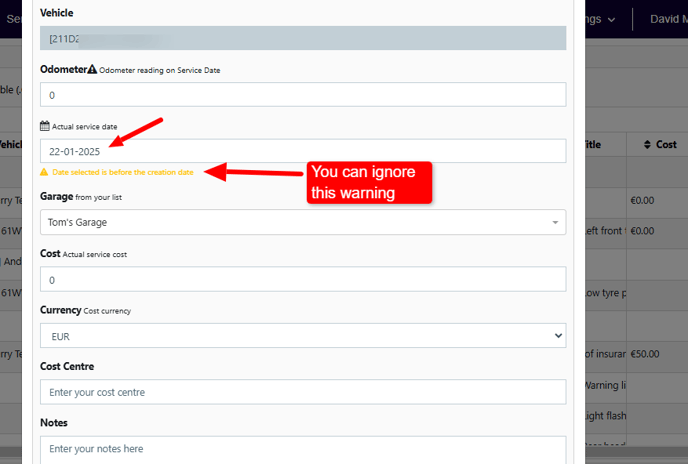
2. Complete/close the ticket. During the process to complete/close the ticket you can select a date in the past. You can ignore the error message which will appear if you select a date in the past. I created the ticket on 06/02/2025 but I selected 22/01/2025
3. I completed/closed the ticket and you can see the details below.
