![White Logo with transparent background.png]](https://www.transpoco.com/hs-fs/hubfs/White%20Logo%20with%20transparent%20background.png?height=40&name=White%20Logo%20with%20transparent%20background.png)
The Carbon Footprint Calculations report allows you to run reports on the carbon emitted by your fleet. The source of the data are the fuel transactions we receive from your fuel card account.
To find the Carbon Footprint Calculations report go to the navigation menu > Asset & Cost Management > Fuel/EVs
The report will display the total number of litres per fuel type and the total number of carbon emissions generated by the combined number of litres for all fuel types for a time period.
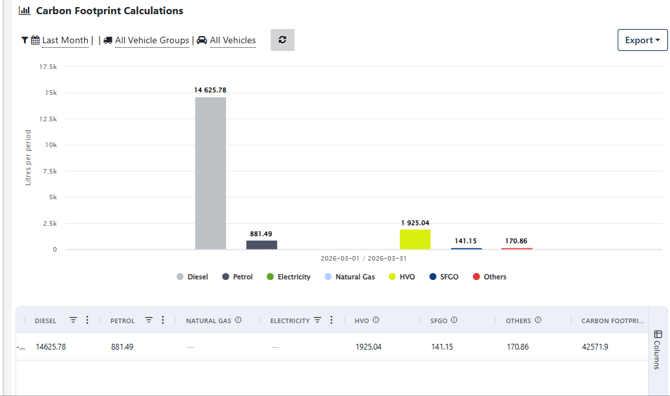
How do we calculate the Carbon Footprint? Each fuel type emits a different quantity of carbon per litre:
-
Petrol - 2.3kg per litre
-
CNG - 2.4kg per litre
-
Diesel - 2.7kg per litre
-
HVO - 0.35kg per litre
-
SFGO - 2.7kg per litre
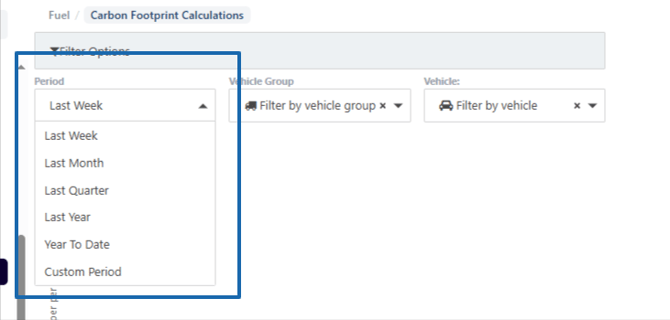
You can run the Carbon Footprint Calculations report for the time periods below including a custom time period:
After you selected the time period you can group the data by the options below:
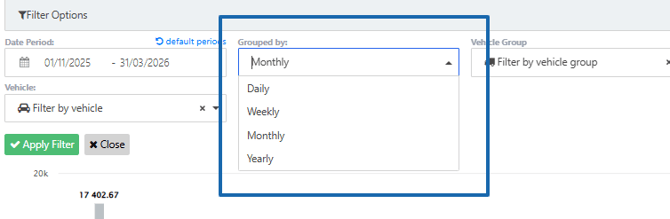
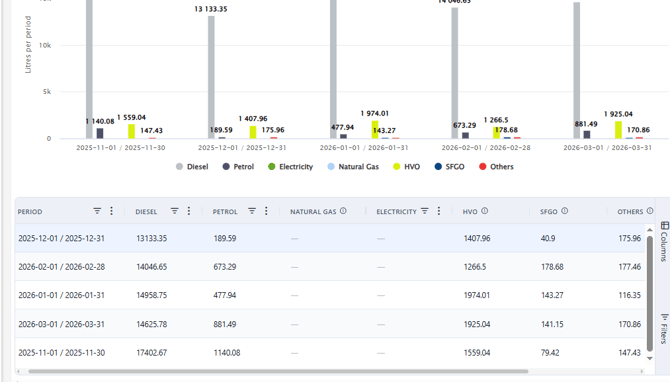
Here is a Carbon Footprint Calculations report run for a custom date period & grouped by month.
In the Filter Options, you can run the Carbon Footprint Calculations for:
-
All Vehicles
-
a vehicles group
-
1 vehicle
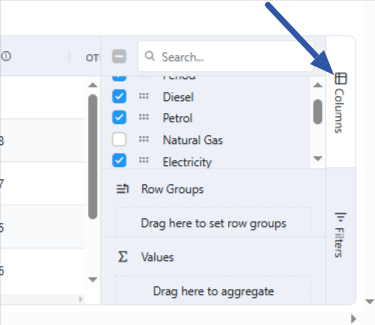
You can edit the columns in the report. Click Columns on the right side of the table to open the menu below. You can hide the column for a fuel type by unticking the box beside the fuel type.