![White Logo with transparent background.png]](https://www.transpoco.com/hs-fs/hubfs/White%20Logo%20with%20transparent%20background.png?height=40&name=White%20Logo%20with%20transparent%20background.png)
In this article we explain what happens if you submit a walkaround checklist in an area with no phone signal.
If the driver is an area where there is no network coverage it is possible the app will freeze or hang after the driver attempts to submit the checklist.
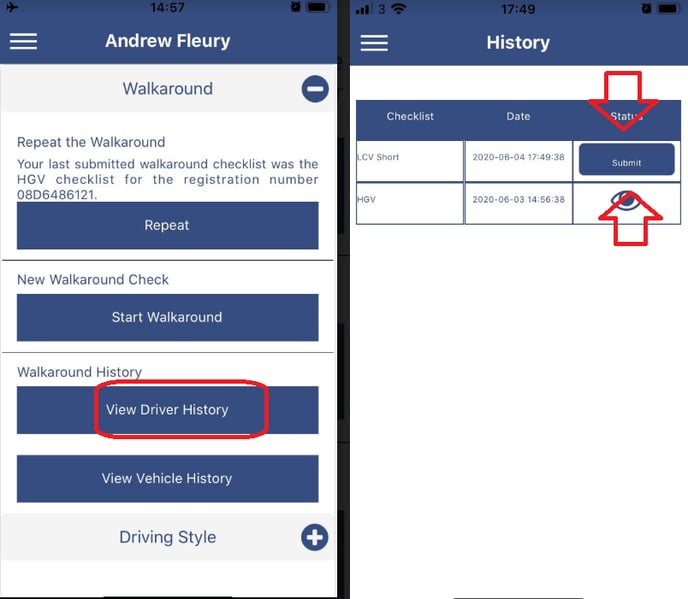
If this problem occurs the checklist is saved in the ' View Drivers History' section of the app waiting to be submitted.
Once the driver has a good phone signal he can open up the app, click ' View Drivers History' and click the ' Submit' button on the checklist.