![White Logo with transparent background.png]](https://www.transpoco.com/hs-fs/hubfs/White%20Logo%20with%20transparent%20background.png?height=40&name=White%20Logo%20with%20transparent%20background.png)
In this video we will demonstrate how you can create a ticket for a service in the Maintain module. You can create a new ticket for a service or edit an existing ticket created automatically for a defect reported in a walkaround checklist.
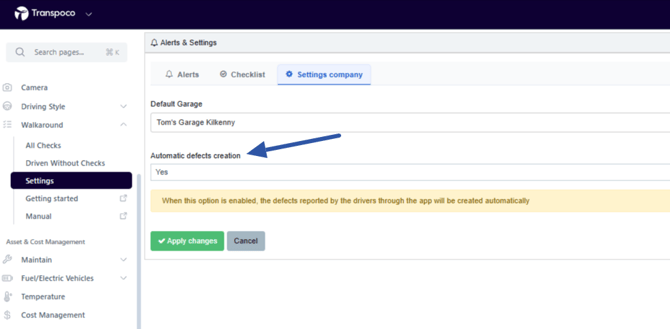
As we mentioned, if you are using our walkaround checks process, you can enable an option to automatically create a service ticket for each defect reported in a checklist. To enable this option, go to Walkaround > Settings > Company Settings. You can also select a default garage for the tickets created for these defects.
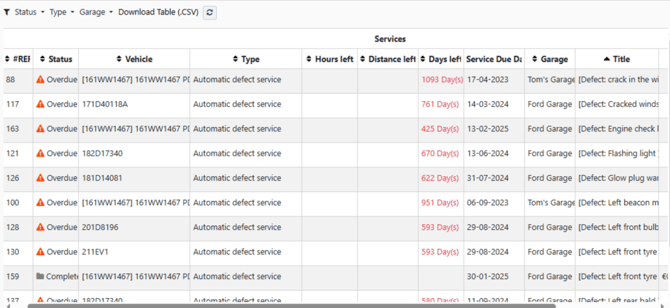
These service tickets will appear as 'Automatic defect service' under 'Type' and the details of the defect will appear in the title. You will have to edit the service ticket to assign the appropriate service type - window, brakes, lights, etc.) and select the garage as well as set a date for the repair.
You can create a service based on a Date, Travel Distance, Travel Time or a mix.
1. A Date
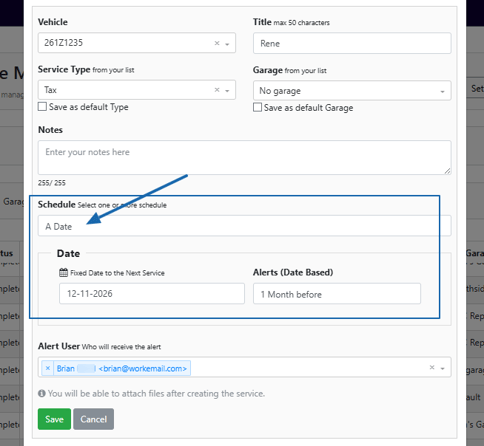
This option will allow you to schedule a service based on a date. You can create a service ticket for the expiry of tax and insurance for each vehicle in your fleet. The alert will act as reminder to renew the tax or insurance.
You can create a service ticket for regular service like a 26 week service or a 3 month service. You can select the date of the service and configure the alert to notify in advance of the date.
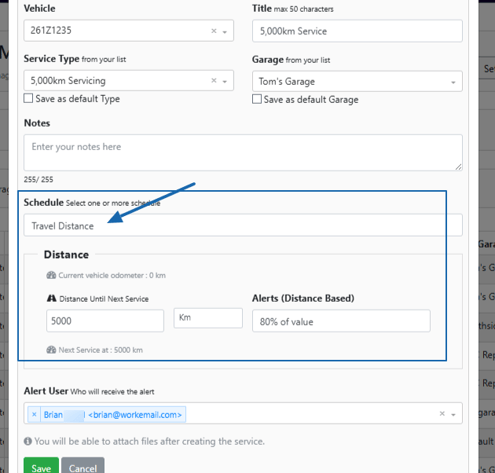
2.Travel Distance
This option will allow you to schedule servicing based on distance travelled. For example, a vehicle will require a service after every 5,000km. You can set the service for the first interval. You can set an alert after a percentage of the distance has been completed and select recipients for the alert.
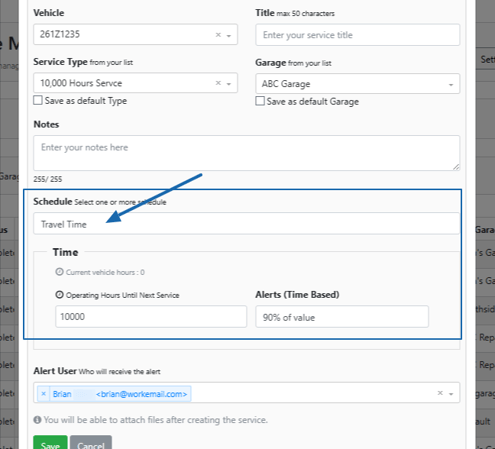
3. Travel Time/Operating Hours