![White Logo with transparent background.png]](https://www.transpoco.com/hs-fs/hubfs/White%20Logo%20with%20transparent%20background.png?height=40&name=White%20Logo%20with%20transparent%20background.png)
The Driven Without Check Report will show the total number of days during the selected time period where the vehicle was driven without a walkaround checklist or the driver failed to submit a checklist while driving the vehicle.
You can filter the report by Driver or by Vehicle.
The report only considers driving days (a day with at least 1 vehicle journey). The report does not include days where the vehicle was off the road.
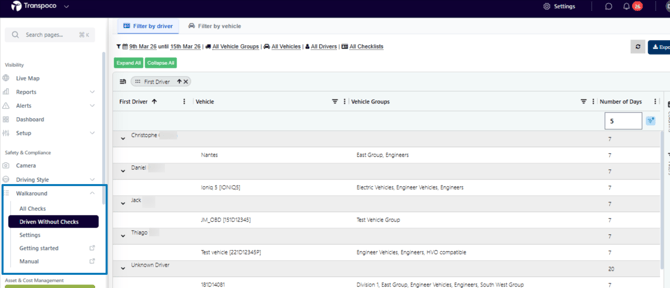
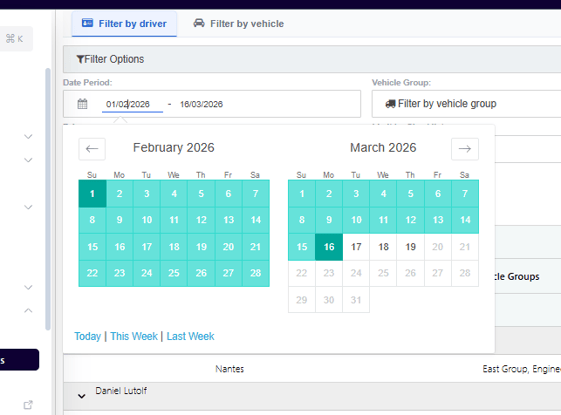
The date period can be customised in the filters above the report. Click the current default date to open the calendar to select your customised time period.
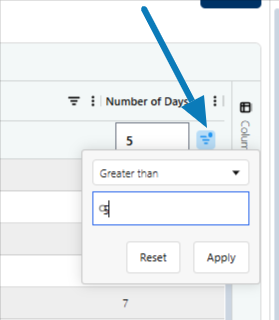
To filter the results, you can set a minimum number of days using the Number of Days filter. Click the filter icon beside Number of Days. You can enter a figure to help you to find the worst offending drivers.
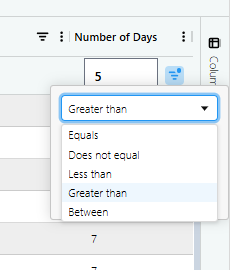
You can filter and manipulate the report using the options below:
As we mentioned in the video demonstration we can identify a driver by 2 methods:
1.The use of driver ID by the driver
2.Manually assigning a registration to a driver
If you do not use one of these options we cannot provide data by driver.
If you want to know more about these methods please contact the team at Transpoco at support@transpoco.com