![White Logo with transparent background.png]](https://www.transpoco.com/hs-fs/hubfs/White%20Logo%20with%20transparent%20background.png?height=40&name=White%20Logo%20with%20transparent%20background.png)
The EV Charging report will display the details of electric charges in vehicles we are tracking with compatible EV trackers.
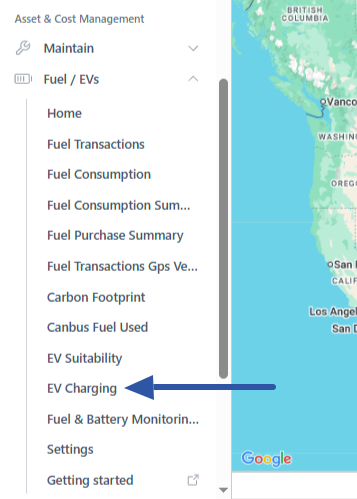
The EV Charging report is available under the Fuels/EVs menu on the navigation bar.
The data in the report comes from EV specific trackers which can source battery level and charging data. Here is an example of an EV Charging report.
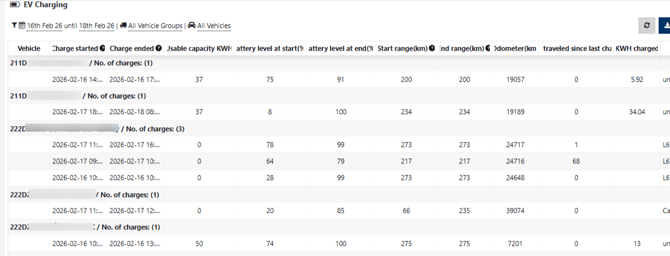
Columns in the EV Charging report:
-
Charge started & Charge ended -The start date/time and the end date/time of the charging session.
-
Usable capacity (kWh) - The kWh capacity of the battery of the electric vehicle. The default figure is 0. You can enter a usable capacity in the Vehicles page. You can enable the 'Usable Battery Capacity' column and enter a capacity for electric vehicles in your account.
-
Battery level at start (%) & Battery level at end (%) - The battery level % before and after the charging session.
-
Start range (km) & End range (km) - The range of the electric vehicle before and after the charging session.
-
Odometer (km) -The odometer of the vehicle recorded by Transpoco at the time of the charging session.
-
kWh charge -
-
Location - the address of electric charger.
How to enter a usable battery capacity for a vehicle in the Charging Report.
To start you will have to customise the columns in the Vehicles section as 'Usable battery capacity' is not a default column. You will have to edit the profile assigned to you (this is possible if you have access the Profiles section and the profile assigned to you).
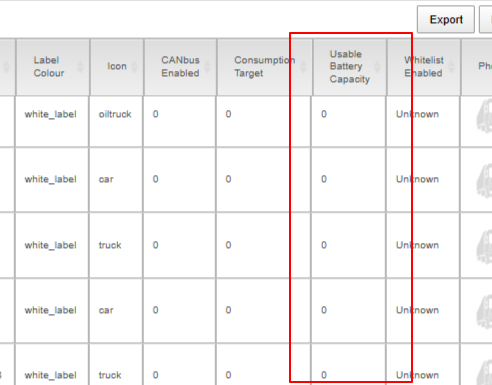
Edit the profile assigned to you and go to the Garage Customisation tab. The current columns in the Vehicles section appear on the right. You can add more columns from the list of available columns including 'Usable Battery Capacity'.
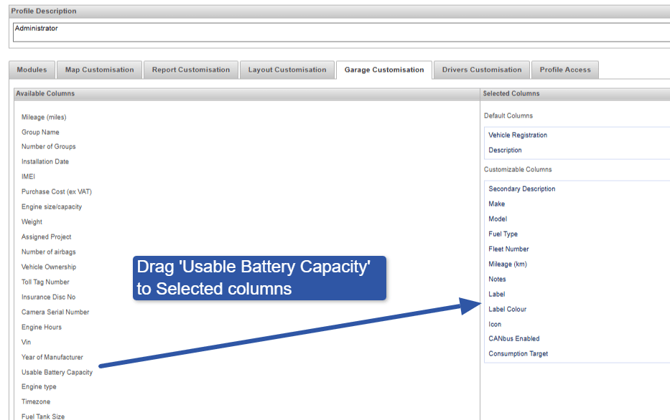
After you add the column save the changes. The next time you open the Vehicles section you will see the 'Usable Battery Capacity' column. To edit a battery capacity for a vehicle click the Edit button under the 'Edit column.
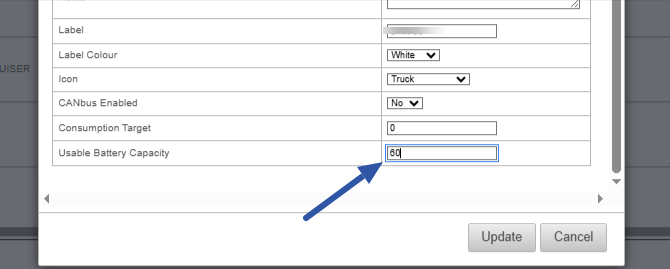
After you click edit this window will appear. Enter a figure into the 'Usable Battery Capacity' field. The figure you enter will appear under the 'Usable Capacity (kWh)' column in the EV Charging Report.