![White Logo with transparent background.png]](https://www.transpoco.com/hs-fs/hubfs/White%20Logo%20with%20transparent%20background.png?height=40&name=White%20Logo%20with%20transparent%20background.png)
In this video we will explain the Fuel Transactions report.
As we mentioned in the video, after we integrate your fuel card account with your Transpoco account we will expect to receive the details of fuel transactions every 24-48 hours. The details of the transactions are listed in the Fuel Transactions page.
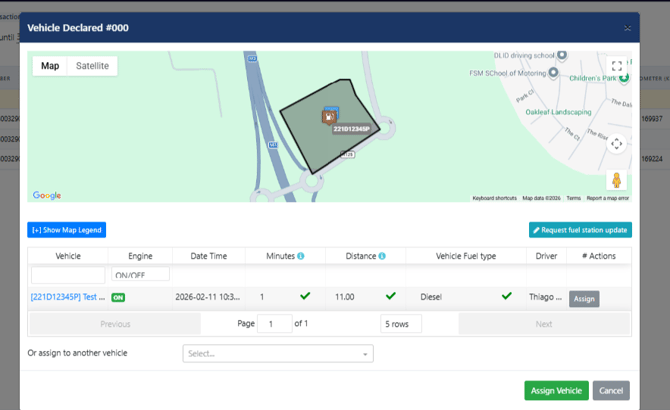
After we receive the transactions, our system will automatically try to match a vehicle to a transaction. The process involves checking the location of all of the vehicles we tracking at the time and date of the transaction.
The process also involves creating an invisible fence around all of fuel stations belonging to the fuel card providers. Any vehicle inside this fence at the time and date will be matched to the transaction. You can see an example below:
If we cannot match a transaction to registration we will display 'No Vehicle Assigned' under the 'Vehicle Assigned' column.
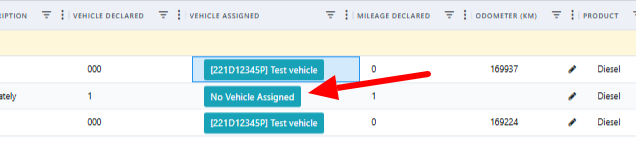
The process of matching transactions is only possible for tracked vehicles.
Note: Only matched/verified transactions are considered for the Fuel Consumption report
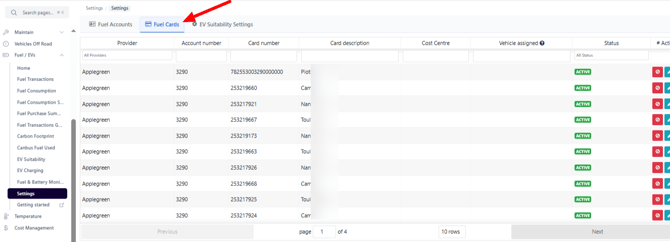
The Settings section in the EV/Fuel section provides access to view the:
- List of integrated fuel card accounts
- List of unique fuel cards used in fuel transactiond
Fuel Accounts
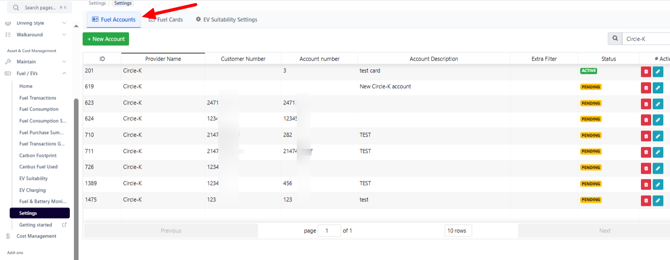
In order to integrate a fuel card account please contact the team at support@transpoco.com to start. We will ask you to provide written permission to Transpoco to contact your fuel card provider on your behalf.
Fuel Cards