![White Logo with transparent background.png]](https://www.transpoco.com/hs-fs/hubfs/White%20Logo%20with%20transparent%20background.png?height=40&name=White%20Logo%20with%20transparent%20background.png)
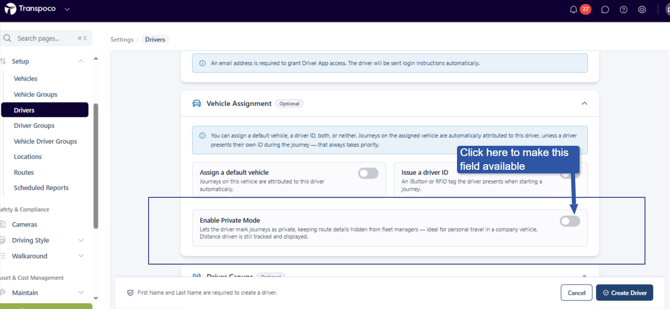
To assign a key fob to enable privacy mode, click the toggle beside 'Enable Private Mode' in the profile of the driver.
A field will appear where you can enter the serial number of the key fob. Click Save Change at the end of the page to save the change.
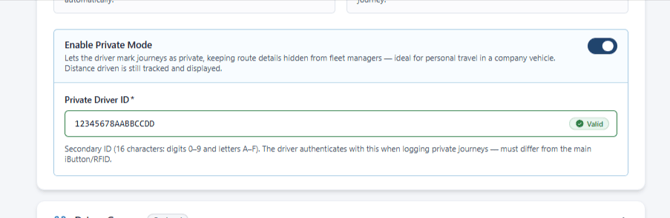
As a result, if the driver swipes the key fob at the start of a journey, the journey will be treated as private.