![White Logo with transparent background.png]](https://www.transpoco.com/hs-fs/hubfs/White%20Logo%20with%20transparent%20background.png?height=40&name=White%20Logo%20with%20transparent%20background.png)
In this video we demonstrate how you can create a customised walkaround checklist using the checklist builder in your Transpoco account.
Notes:
If a driver reports a defect, the driver can add photos demonstrating the defect and add comments.
You can only edit the customised checklists you create.
You can use the checklist builder to create other forms like a Driver Declaration or an Accident Form and make them available to your drivers.
As mentioned in the video, you can divide your checklist into sub-checklists (inside, outside, etc), by using the 'Area' field.
To help you to build your walkaround checklist we provide a range of potential responses, see the current list below:
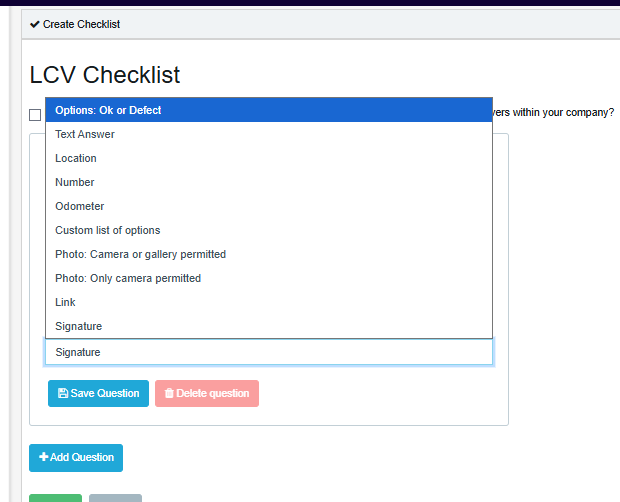
Note: You can configure a check which requires a signature from the driver as a response, select 'Signature'. The driver will use their finger to sign their name on the screen of their phone.