![White Logo with transparent background.png]](https://www.transpoco.com/hs-fs/hubfs/White%20Logo%20with%20transparent%20background.png?height=40&name=White%20Logo%20with%20transparent%20background.png)
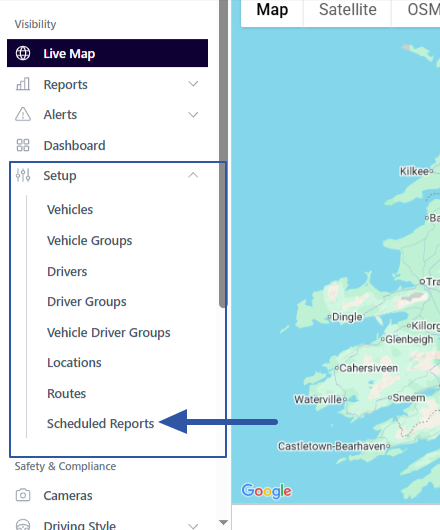
To edit a scheduled report go to Navigation menu > Visibility > Setup > Scheduled Reports
On the list of scheduled reports see the Actions column.
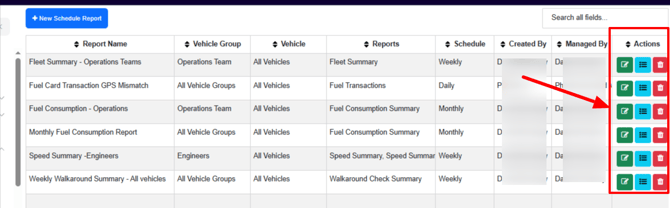
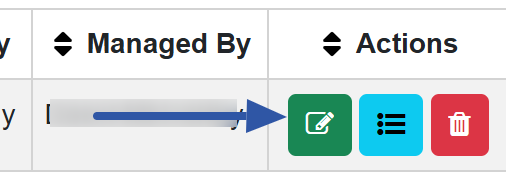
To edit an existing scheduled report click the green icon beside the relevant report to open up the configuration of the report.
You can edit the Details, Configuration and Alert & Permission.
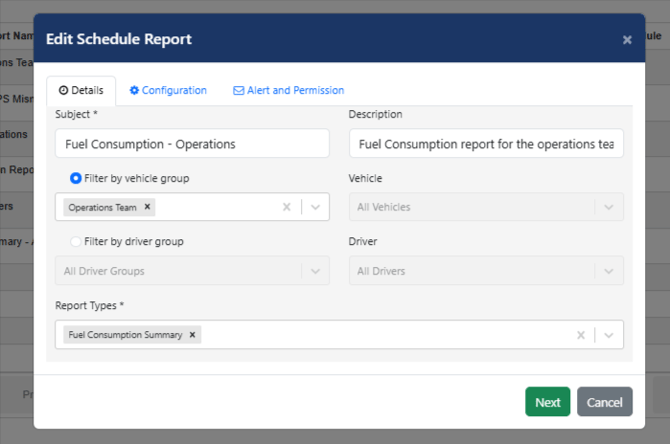
Keep clicking the Next button to move to the next tab.