![White Logo with transparent background.png]](https://www.transpoco.com/hs-fs/hubfs/White%20Logo%20with%20transparent%20background.png?height=40&name=White%20Logo%20with%20transparent%20background.png)
The Speed Trend allows you to visulise the speeding behaviour of all vehicles or selected vehicles in your fleet over period of time. The report shows the percentage of speeding events by vehicles over the last 6 weeks or over a number of different time range. The information can be filtered by vehicle group and by % Over Limit ranges. The Speed Trend will allow you to view the level of speeding for the fleet or selected vehicles over time.
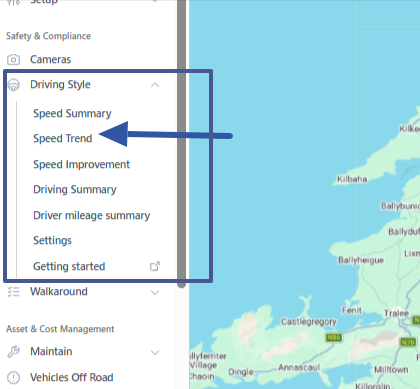
To find the Speed Trend go the Navigation menu > Safety & Compliance > Driving Style > Speed Trend
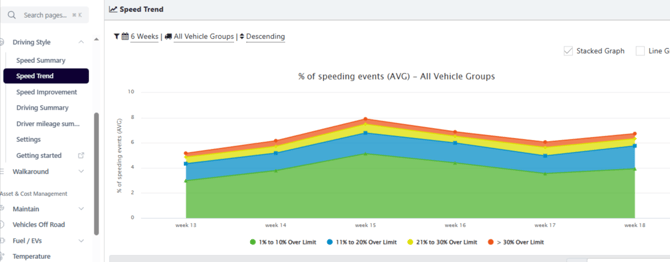
The default time period for the Speed Report is the last 6 weeks. The data is displayed as a stacked graph by default. In the example below, at week 13 the total % of speeding event for all vehicles was 5%. At week there was an increase to 7%.
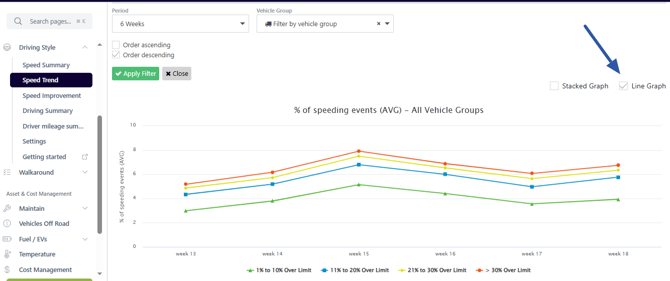
The user can change the Speed Trend to show as a line graph.
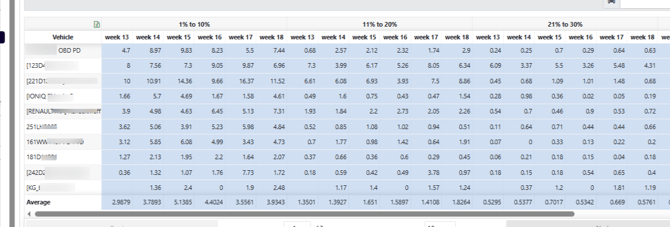
Below the Speed Trend you can view the speeding data for each vehicle included in the report. In the example below, we list the speeding from the excessive speed range from each week from the last 6 weeks. See the table below:
Filter Options
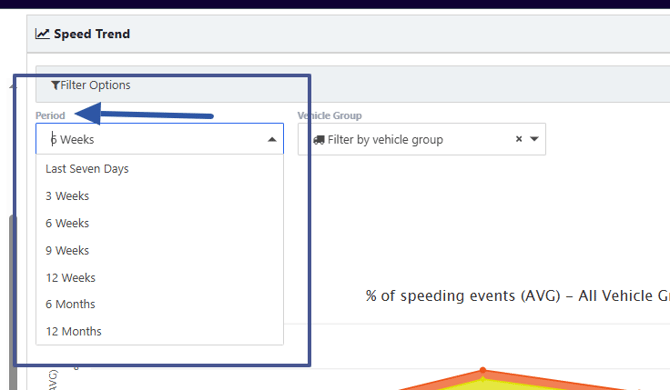
1. Period
You can choose to view the trend over a different period - see the options below.
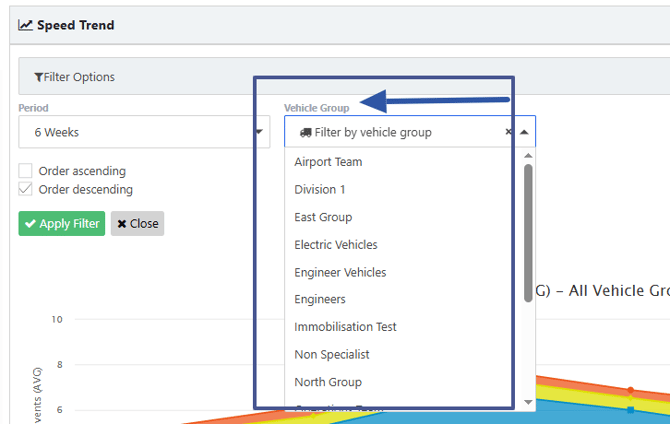
2. Vehicles' Group
You can view the Speed Trend for a selected group of vehicles from the list of available vehicles' group in your account.