![White Logo with transparent background.png]](https://www.transpoco.com/hs-fs/hubfs/White%20Logo%20with%20transparent%20background.png?height=40&name=White%20Logo%20with%20transparent%20background.png)
What are Vehicle statuses?
Customers can now mark each vehicle's availability (for example Active, Repair, Spare or Crash) and manage the list of statuses in one place in Settings.
Default statuses in every account
Every account now starts with four statuses, each with a short description:
| Status | Description |
|---|---|
| Active | In service and available for jobs. |
| Repair | Off the road for maintenance or repair. |
| Spare | Available as a replacement vehicle. |
| Crash | Involved in an incident, awaiting assessment. |
Accounts that already had their own statuses keep them. Vehicles are not given a status automatically: it stays blank until someone sets one.
The Vehicle Statuses page
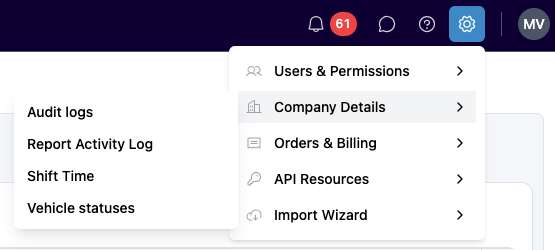
Settings (gear icon, top right) → Company Details → Vehicle statuses
The page lists every status with its description and how many vehicles currently have it.
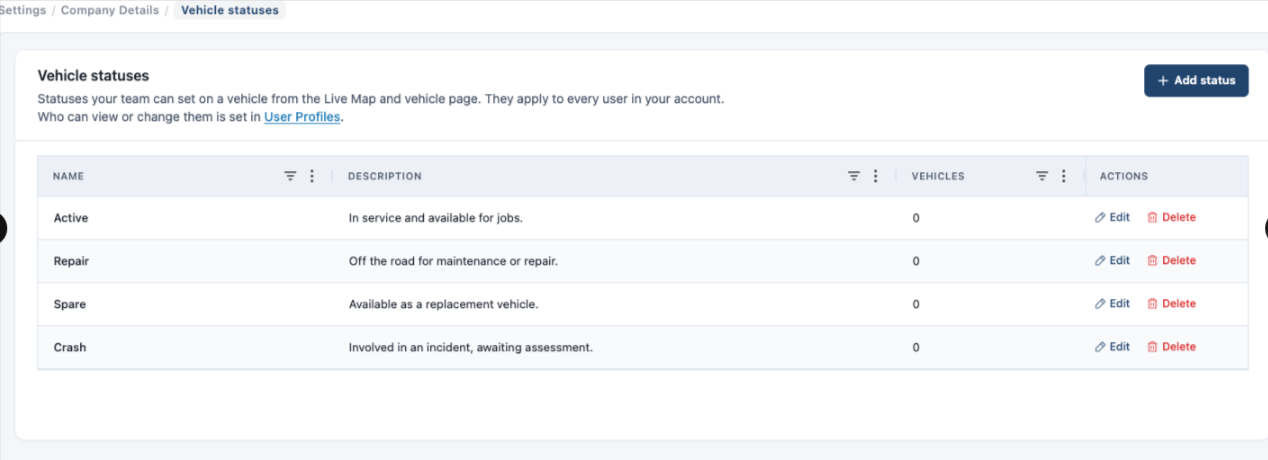
- Add a status: click Add status, enter a Name and, optionally, a Description, then save. Two statuses can't have the same name.
- Edit a status: click Edit on its row, make your change and click Save Changes. Vehicles with that status keep it.
- Delete a status: click Delete.
- If no vehicle has it, just confirm.
- If vehicles have it, choose another status in Move these vehicles to and click Delete and move [N] vehicles. The vehicles are moved first, then the status is deleted.
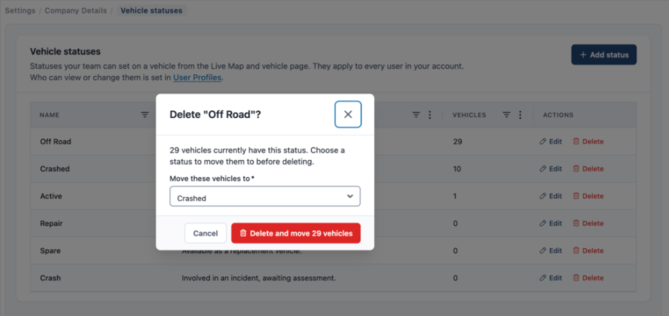
Statuses are shared by every user in the account.
Permissions (Vehicle statuses section in Profiles)
Settings → Users & Permissions → Profiles → open a profile → Vehicle statuses section. The section is in every profile of every account.
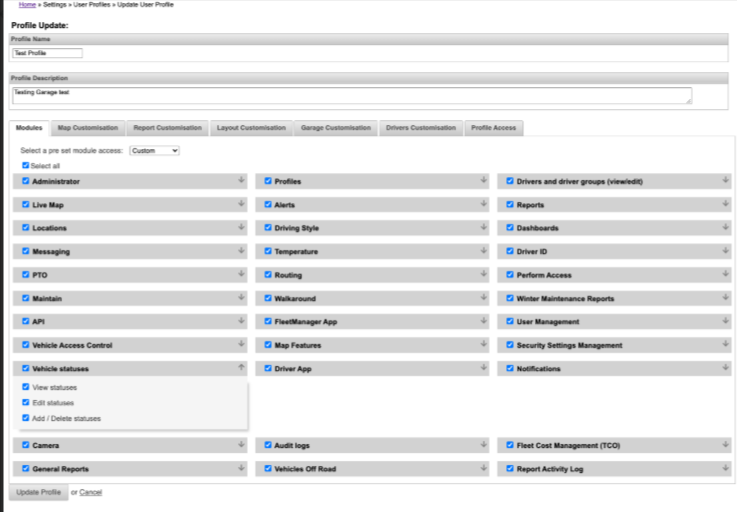
| Permission | What it allows | Who has it today |
|---|---|---|
| View statuses | Open the page (read-only). Needed for the other two. | Every profile |
| Edit statuses | Rename a status or change its description. | Administrator profiles |
| Add / Delete statuses | Add new statuses and delete existing ones. | Administrator profiles |
Permission changes apply the next time the user opens the page, with no need to log out.
Status column on the new Vehicles page
Setup → Vehicles, on the new Vehicles page only.
- The Status column is always available.
- The default statuses are colour-coded: Active green, Repair amber, Spare blue, Crash red.
- The ⓘ icon next to the column header explains statuses and links to the Vehicle statuses page.
.png?width=670&height=188&name=Captura%20de%20Tela%202026-10-16%20%C3%A0s%2011.52.08%20(1).png)
Audit logs
Settings → Company Details → Audit logs, then filter Entity by Vehicle statuses.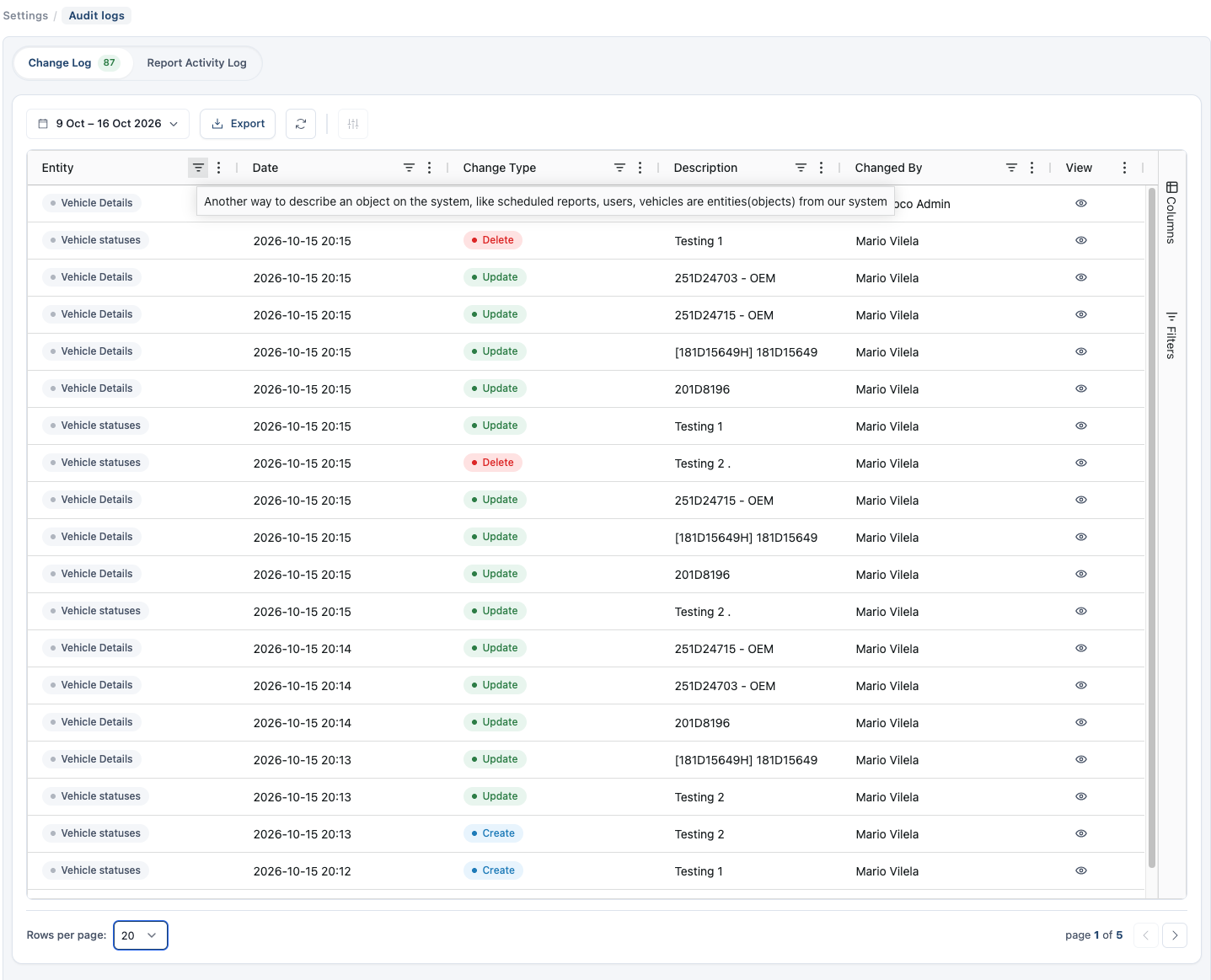
- Every add, edit and delete is recorded, with who made the change.
- When a delete moved vehicles, the entry shows Vehicles moved and Moved to.
- Each moved vehicle also gets its own Vehicle Details entry, for example Vehicle status: Crash → Repair.