![White Logo with transparent background.png]](https://www.transpoco.com/hs-fs/hubfs/White%20Logo%20with%20transparent%20background.png?height=40&name=White%20Logo%20with%20transparent%20background.png)
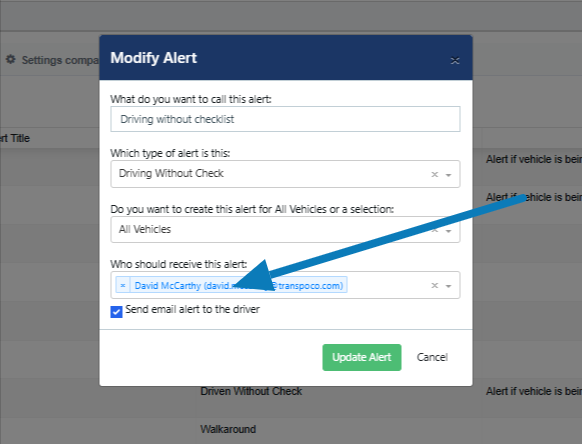
In the configuration of the 'Driving' Without Checklist' alert you have the option to add the driver as a recipient for the alert. After the alert has been triggered, the selected recipients and the driver will receive an email notification.
In order to send an email notification to the driver, you have to enter an email address in the Driver profile of the driver.
In the settings of the alert, tick the box beside 'Send email alert to the driver'.
If this option was not selected when you created the alert, you can edit the alert and select to 'Send email alert to the driver'.