![White Logo with transparent background.png]](https://www.transpoco.com/hs-fs/hubfs/White%20Logo%20with%20transparent%20background.png?height=40&name=White%20Logo%20with%20transparent%20background.png)
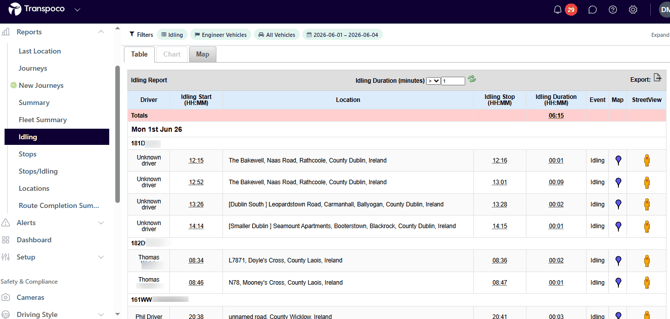
The Idling report provides details of each period of idling recorded during journeys for the selected time period.
Idling is recorded after the vehicle becomes stationary and the ignition is running. Our system filters out periods of recorded at traffic stops.
Default data points include: Date, Vehicle, Stop Time Begin, Stop Location, Stop Time End, Stop Duration, Map Pin, StreetView.
Here is an example of an Idling report:
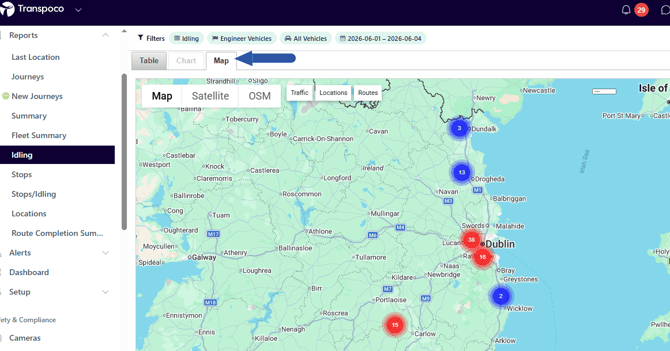
This is the Map view of the Idling report. You'll notice idling at similar locations are clustered together. As you zoom in, the individual idling location will appear along with the idling duration.
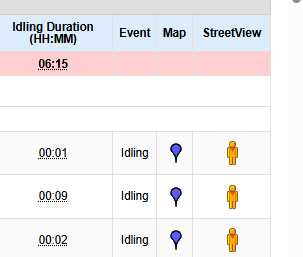
In the Idling report, the 'Map' option allows you to view the location of an idling event on a map and the 'StreetView' option allows you to view the location of the idling event on Street View.
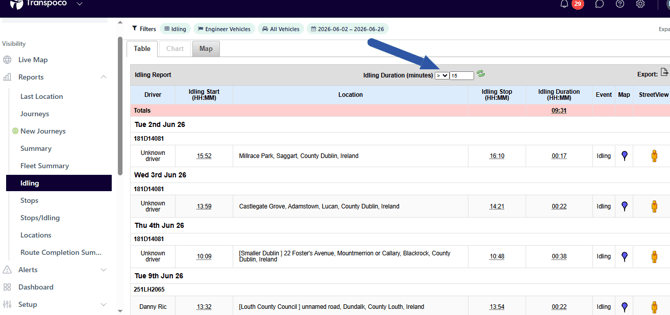
To filter the idling events, enter a minimum stop time in the 'Idling Duration (minutes)' field. The default time is greater than 1 minute. In the example below, the idling events were filtered to show idling greater than 15 minutes.