![White Logo with transparent background.png]](https://www.transpoco.com/hs-fs/hubfs/White%20Logo%20with%20transparent%20background.png?height=40&name=White%20Logo%20with%20transparent%20background.png)
To find the list of users for your account click the Settings icon to reveal the settings menu. Users & Permissions will reveal a sub-menu, select Users.
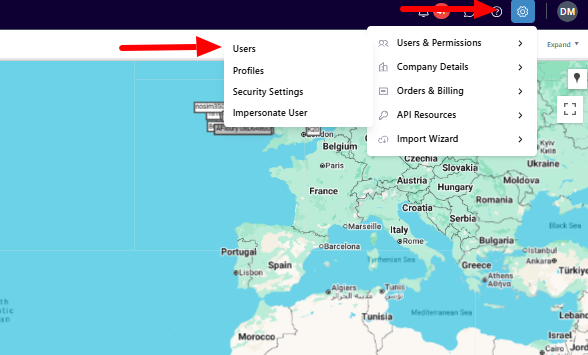
A demonstration of the list of Users page:
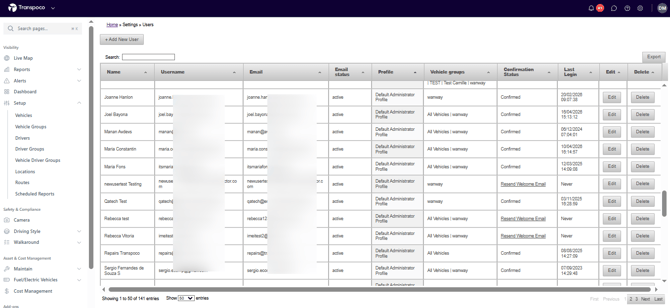
The list of Users page will display details like:
1.Profile name
2.Vehicles group assigned to the user
3.Confirmation status (has the confirmed their access to the Transpoco account)
4. Last login time/date