![White Logo with transparent background.png]](https://www.transpoco.com/hs-fs/hubfs/White%20Logo%20with%20transparent%20background.png?height=40&name=White%20Logo%20with%20transparent%20background.png)
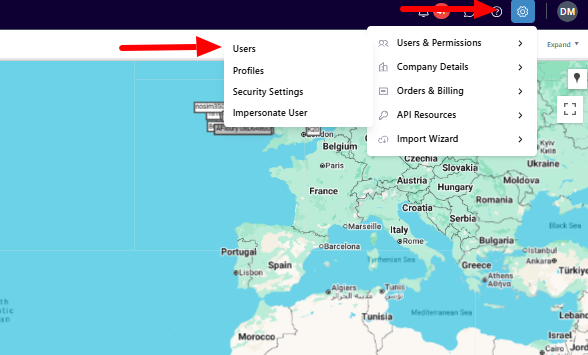
To find the list of users for your account click the Settings icon to reveal the settings menu. Users & Permissions will reveal a sub-menu, select Users.
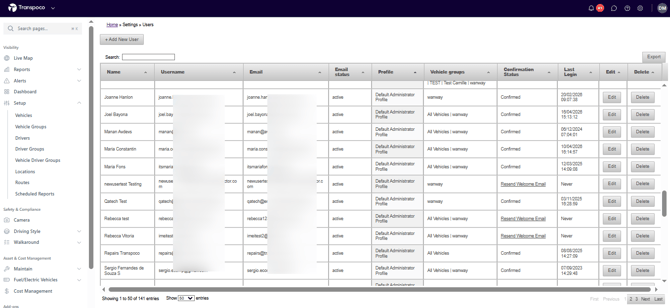
On the list of users, the last column is Delete.
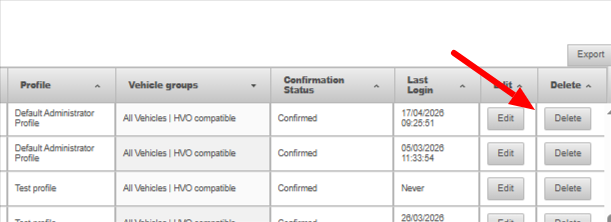
Find the user you want to delete and click the Delete button beside their profile.
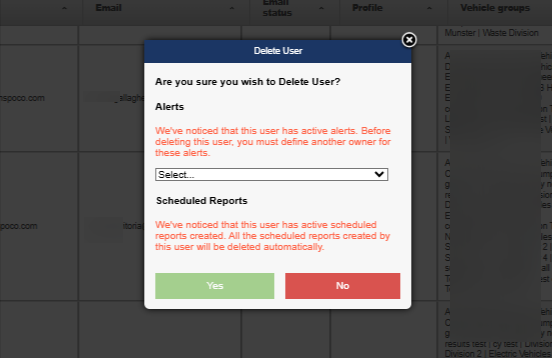
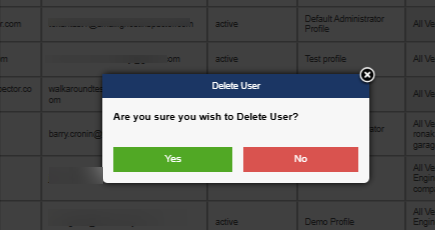
You will be asked if you are sure you want to delete the user.
Some users will have created scheduled reports and/or alerts. In this scenario, you will receive this message: