![White Logo with transparent background.png]](https://www.transpoco.com/hs-fs/hubfs/White%20Logo%20with%20transparent%20background.png?height=40&name=White%20Logo%20with%20transparent%20background.png)
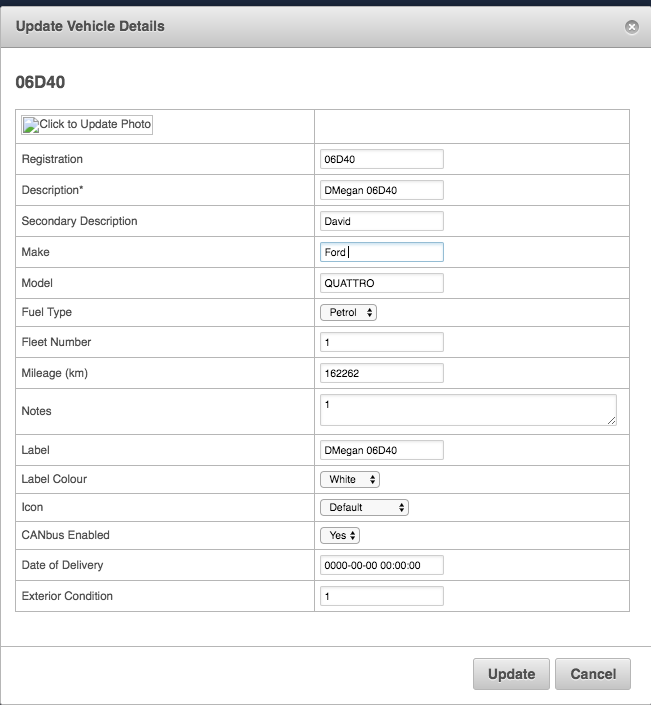
To edit vehicle details, navigate to Settings>Garage>Vehicles>Edit
Most users will edit:
- Description: how the vehicle appears on reports
- Secondary Description: extra details on the vehicle
- Label: The name that appears for the vehicle on the live map
- Label Color: The color of the vehicle label that appears on the live map
- Map Icon: The pin or vehicle picture representing your vehicle on the live map
Make sure to click "Update" once you've completed your vehicle edits to save.